1. Opening the page
Click Main menu / Procurement / Supplier turnover list and the list opens with the Actions tab selected. The pager above and below the table shows the page number and the total number of results (e.g. 1 - 10 / 201). This total is not the number of partners but the number of invoices behind them, so it can be higher than the number of partners in the list (see the Frequently asked questions section). The screenshots were taken in the Hungarian demo interface, so the Hungarian labels are given in parentheses where it helps. In the default view, clicking the name of a partner opens the data sheet of the partner in a new tab.
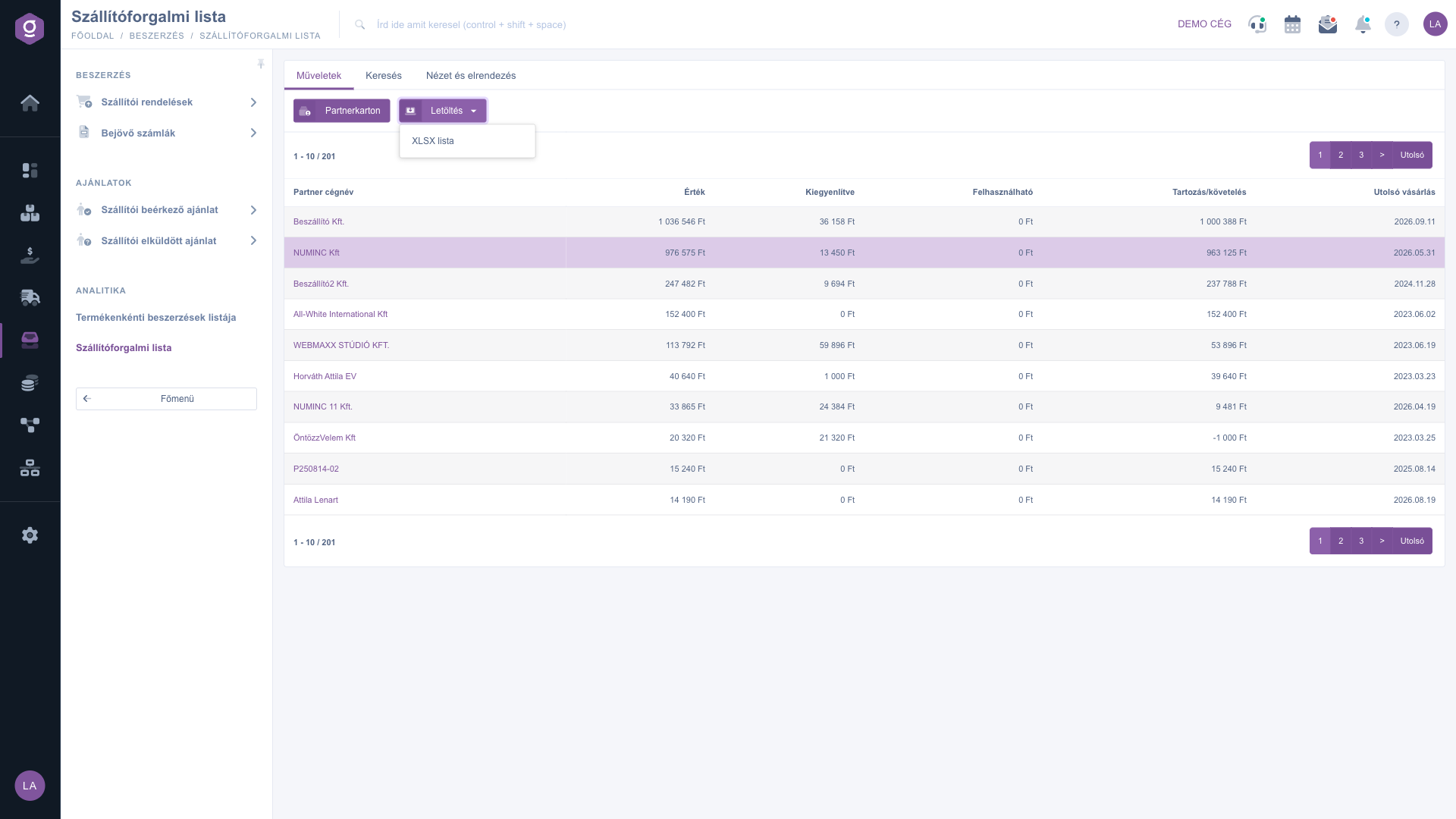
Supplier turnover list – Actions tab (Műveletek) with the per-partner summary table and the Download menu
2. How to read the table
One row means one partner. The values of the row are calculated from the incoming invoices of the partner:
- Partner company name: the name of the supplier.
- Value: the gross totals of all incoming invoices of the partner added up, in the default currency. Business question: how much have I purchased from this supplier in total?
- Settled: the sum of the settlements recorded so far against the invoices. Business question: how much of it have I already paid?
- Usable: currently 0 for every partner on this list, because it summarizes incoming invoices only.
- Debit/credit: the difference between Value and Settled. Business question: how much do I still owe? A positive number is an outstanding debt, a negative number is an overpayment.
- Last purchase: the latest performance date of the invoices of the partner.
Two concrete examples from the screenshot: the invoices of Beszállító Kft. have a Value of 1 036 546 Ft, of which 36 158 Ft is settled, so Debit/credit is 1 036 546 - 36 158 = 1 000 388 Ft. For ÖntözzVelem Kft the Value is 20 320 Ft but Settled is 21 320 Ft, so Debit/credit is -1 000 Ft: you have paid 1 000 Ft more than the invoices amount to.
The rows are sorted by Value in descending order, so your biggest suppliers come first. Amounts are rounded to whole forints, shown with thousands separators and the currency sign.
3. Filtering by partner and period
On the Search tab you find three filters. In the Partner company name field you can enter a part of the name (at least three characters; for shorter text the list is not filtered). With the Kelte pair of fields (invoice date) you can set the period of the invoice date, and with the Performance date pair the period of the performance date, from date to date. Click the Search button to apply the conditions. The Expand button is inactive on this page.
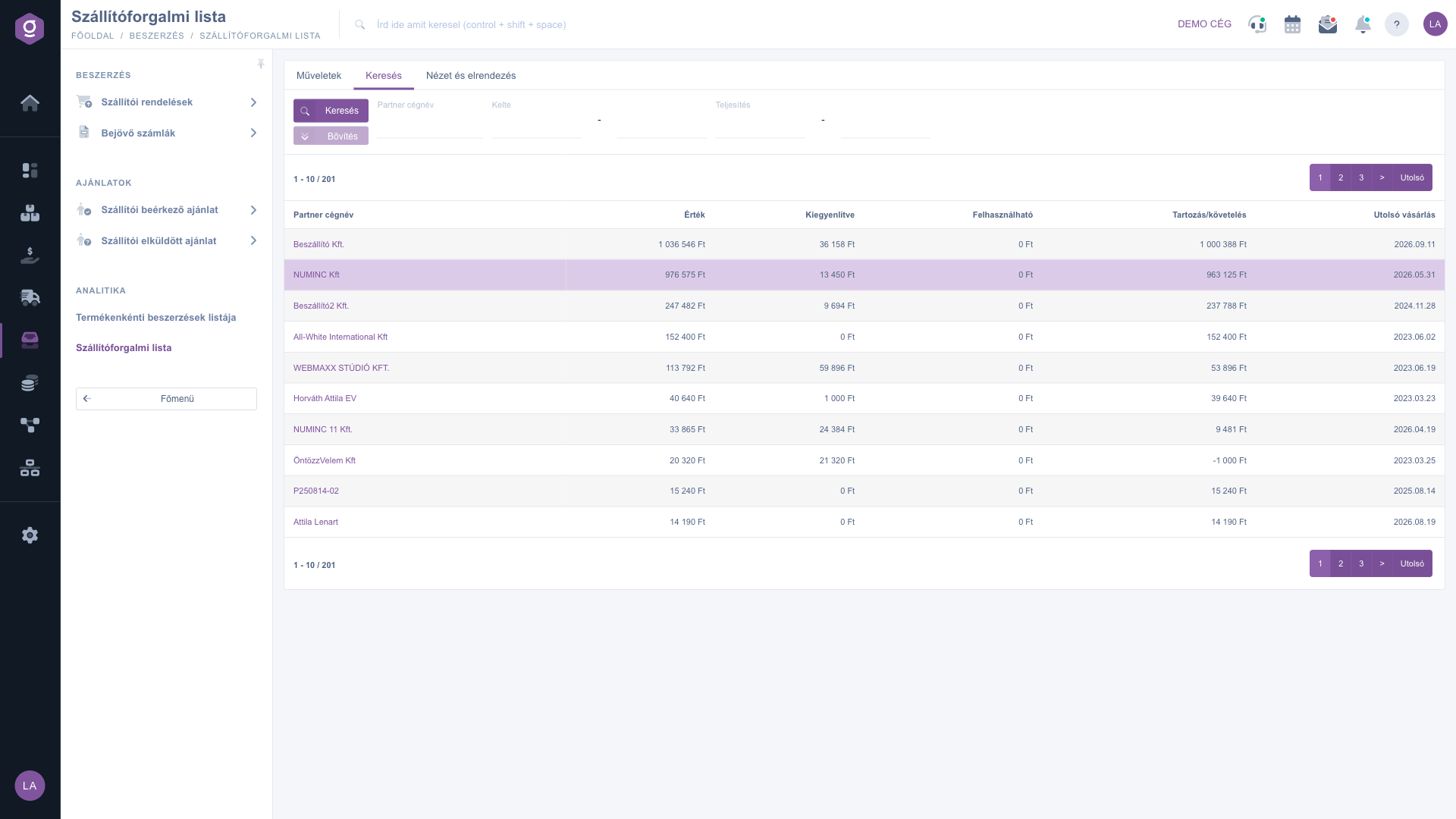
Supplier turnover list – Search tab: Partner company name, Kelte and Performance date filters
It is important that the period filter works before the summation: the system adds up only the invoices that fall into the given period. If you enter a quarter, for example, the Value, Settled and Debit/credit are calculated from the invoices of that period only, and Last purchase is the latest performance of the filtered invoices.
In the screenshot the search for numinc returns two partners: NUMINC Kft and NUMINC 11 Kft.. They are two separate partners and therefore appear in separate rows, while the pager shows 53 results because it counts the invoices behind them.
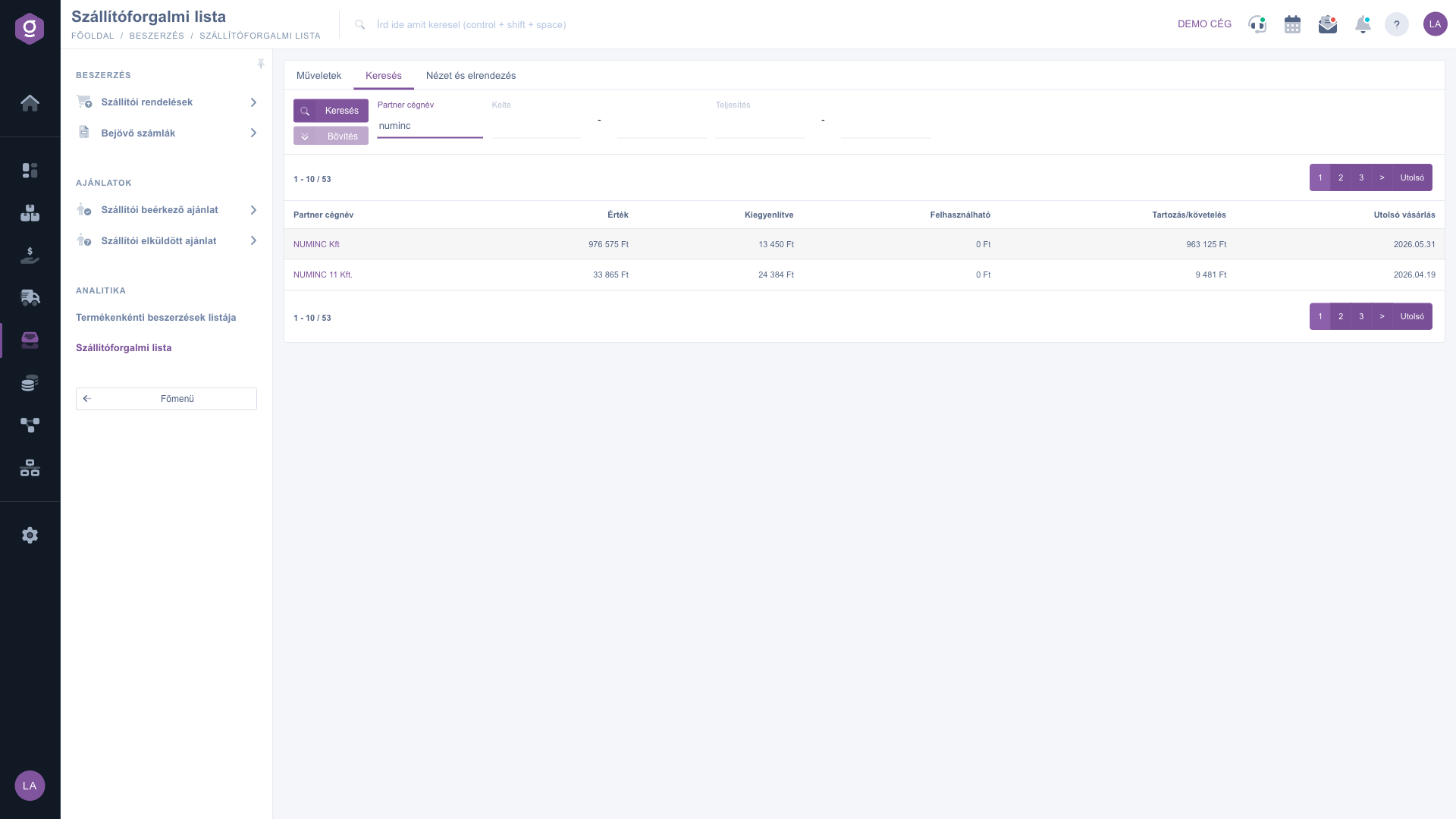
Supplier turnover list – List filtered for numinc with two partners
4. Customizing the view
On the View and layout tab you can set how the list appears for you:
- Oszlopok (Columns): you can choose which fields appear in the table and in what order. In the pop-up window you can work with the Save, Default, Select all and Deselect all buttons, and the search field helps you find a column quickly. If you save your own set of columns, the name of the partner is no longer a clickable link.
- Sorok (Rows): in the pop-up window you can also choose the number of visible rows (10, 25, 50 or 100), but on this list the setting currently does not change the number of rows: 10 partners are always shown per page.
- Sorting: you can select a column and the Ascending or Descending direction, but on this list the sorting setting currently does not change the order: the list is always in descending order of Value.
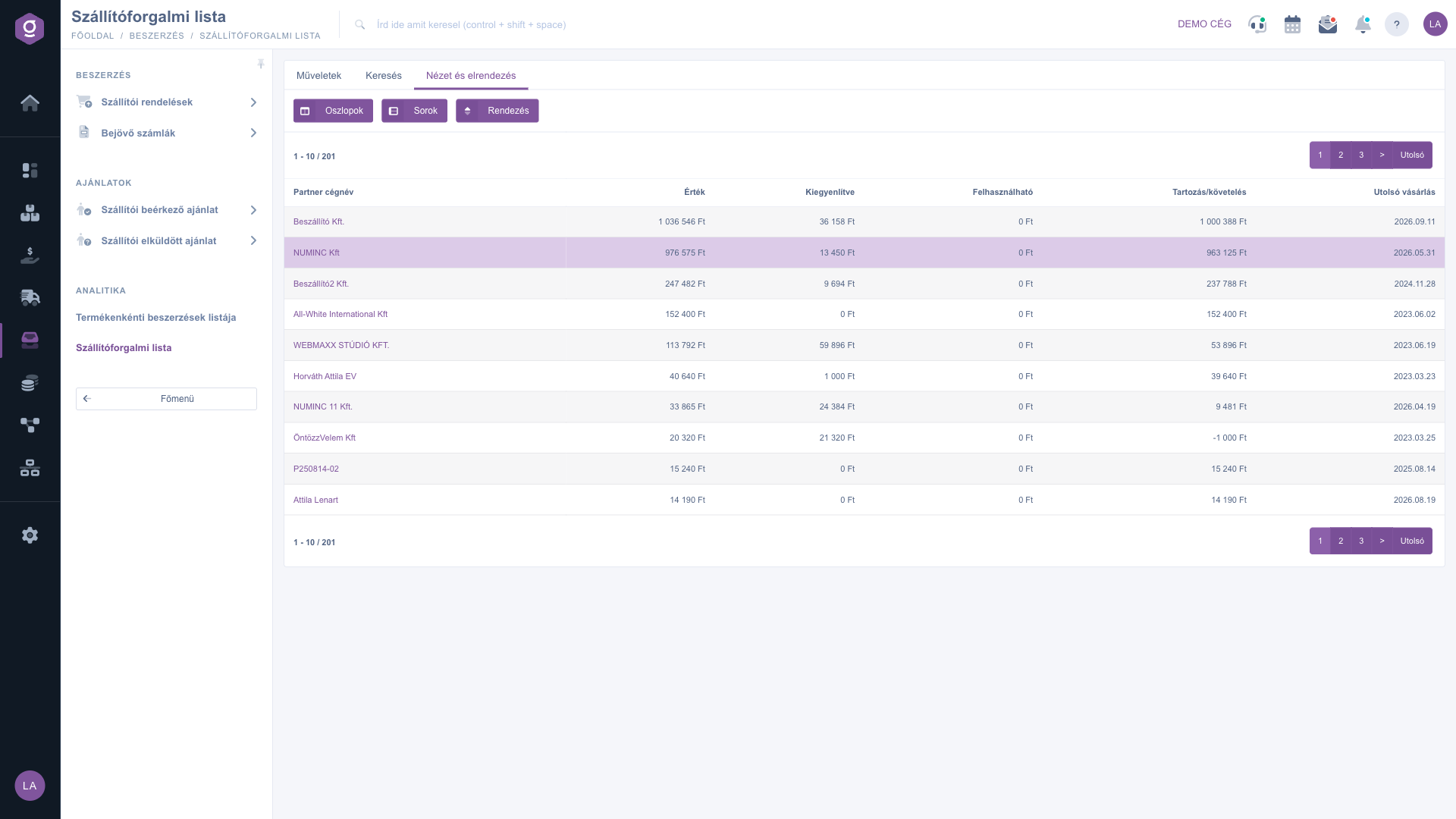
Supplier turnover list – View and layout tab: Oszlopok (Columns), Sorok (Rows), Sorting
5. Partner card
If you want a summary of a partner without leaving the list, first select the row in the table (click any of its columns), then click the Partnerkarton (Partner card) button on the Actions tab. In the pop-up window you see the basic data, the turnover, the orders and the balance of the partner, and from there you can reach further details (for example company data, contacts, addresses, invoices). Keep in mind that the partner card shows the turnover of all invoices of the partner, so its totals can differ from the Value column of the list: in the screenshot the card of NUMINC Kft shows 812 invoices and a total turnover of 5 917 032 HUF, while the Value in the list is 976 575 Ft.
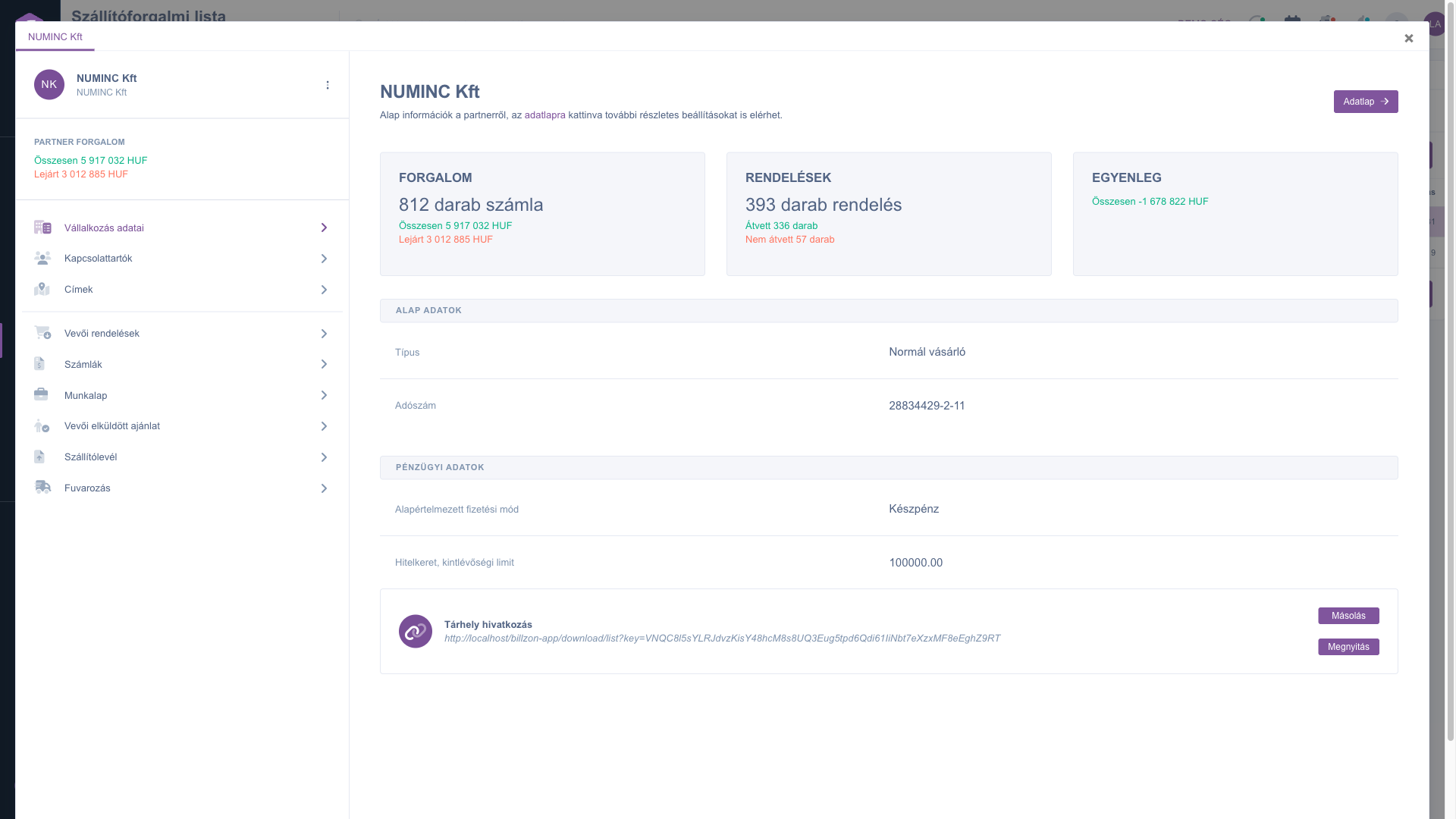
Supplier turnover list – Partner card window (Partnerkarton) with the data of the selected partner
6. Download to Excel
On the Actions tab, choose XLSX lista from the Download menu to download the list as an Excel file. The download uses the filters set on the Search tab and contains all results, not only the page you are looking at. Since the list cannot be sorted on the screen, if you want to order the suppliers for example by their debt, download the file and sort it in Excel.
Tip
If you want to find out which supplier you owe the most, download the list with XLSX lista and sort it by the Debit/credit column in Excel, because on the screen the order is always by Value. If you are interested in the turnover of a quarter or a year, enter the first and last day of the period in the Kelte fields, and the list sums up only the invoices of that period.



