On the Extension events page you see the data exchanges that Logzi sends to the installed extensions, for example handing over a product or a price to your webshop. An event has the status Folyamatban (in progress, waiting) until the system sends it; after sending it becomes Sent, and in its details you can see the request and the response too.
Click Main menu / Integrations / Extensions / Events. The list starts with the newest event, 10 rows are shown per page; next to the pager below you see the number of displayed items (for example 1 - 10 / 58). The screenshots were taken in the Hungarian interface.
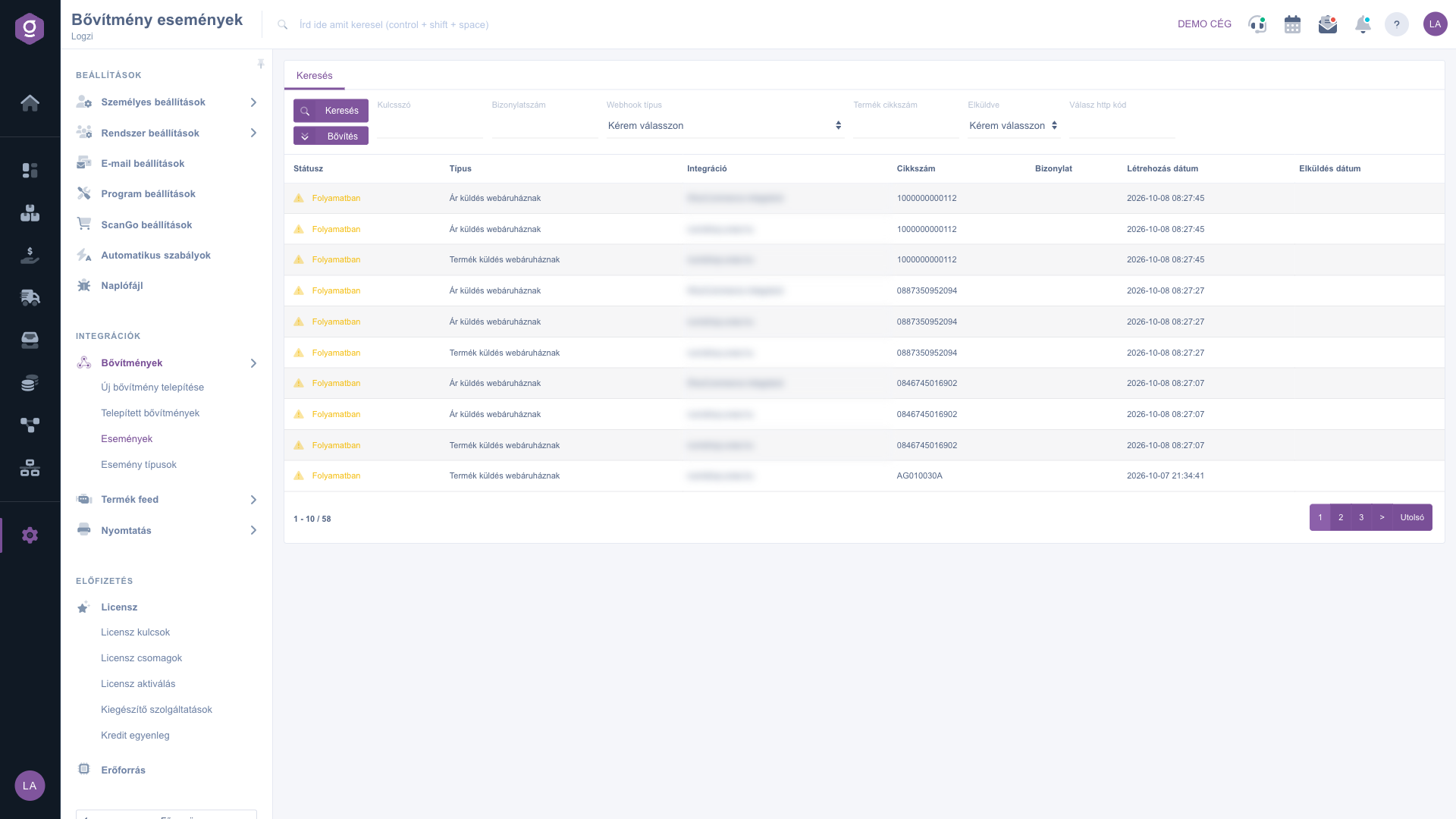
In the Status column Folyamatban (in progress, yellow warning sign) means the event has not gone out yet, and Sent (green tick) means Logzi has sent it. The Type is the kind of the event (for example Termék küldés webáruháznak – sending a product to the webshop, or Ár küldés webáruháznak – sending a price to the webshop), the Integration is the name of the target extension, and the Part number and the Bizonylat (document) columns hold the identifier of the product or document concerned. The last two columns are the Creation date and the Sent date.
Enter the conditions on the Search tab, then click Search: Keyword, Document number, Webhook type (from a list), Product part number, Sent (Yes or No) and Response HTTP code. The Expand button opens more fields: with the Creation date and Send date pairs of fields you filter by period (from - to).
Double-click a row and the page of the event opens. At the top a coloured bar shows the state: yellow if the data exchange has not happened yet, green if it has run and a response has arrived. Below it the Type, Integration, Creation date, Sent date and Part number fields are read-only.
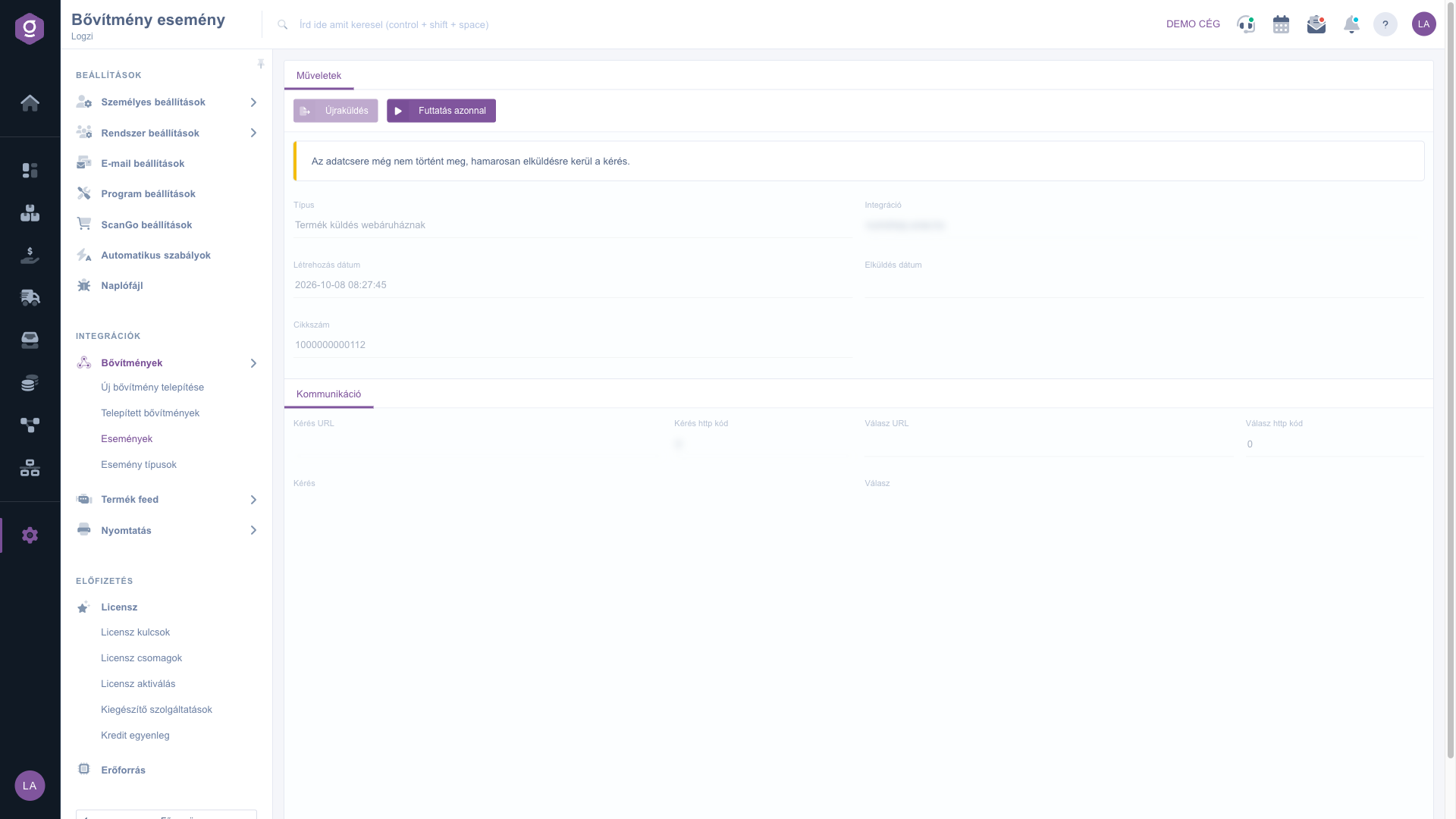
In the Communication section you see where the request went (Request URL), which HTTP code it returned (Request HTTP code), where the response came from (Response URL) and its HTTP code (Response HTTP code), as well as the full text of the Request and the Response. An HTTP code of 400 is shown in red. For troubleshooting this is the most important source of information.
The Resend button is active only for a sent event: it puts the event back among the waiting ones so that the system sends it again, and the list opens. The Run now button is active only for an event that has not been sent yet: it does not wait for the next scheduled run but sends the data immediately, then refreshes the page.
If the external system (for example your webshop) reported an error, check the text of the Response in the Communication section: the cause of the error is usually stated there. After fixing it, use Resend to send the data again.

The search fields, the columns of the list and the fields of the event page. All fields on the event page are read-only, and filling in the search fields is not required.
| Field / Column | Required | Description |
|---|---|---|
| Keyword | Free-text search in the data of the events. | |
| Document number | The number of the document belonging to the event. | |
| Webhook type | The kind of the event from the list (for example Termék küldés webáruháznak). | |
| Product part number | The part number of the product concerned. | |
| Sent | Yes or No: shows only the sent or only the still waiting events. | |
| Response HTTP code | The HTTP code of the answer of the external system, for example 200 or 400. | |
| Creation date | Filter by period by the creation time of the event (with the Expand button). | |
| Send date | Filter by period by the time of sending (with the Expand button). | |
| Status (column) | Folyamatban: not gone out yet; Sent: Logzi has sent it. | |
| Type / Integration (column) | The kind of the event and the name of the target extension. | |
| Part number / Bizonylat (column) | The identifier of the product and of the document concerned. | |
| Creation date / Sent date (column) | The time the event was created and sent. | |
| Request URL / Response URL | The recipient of the request and the source of the response in the Communication section. | |
| Request HTTP code / Response HTTP code | The HTTP code of the request and of the response; 400 is shown in red. | |
| Request / Response | The full text of the data sent and of the response received. |
A data exchange between Logzi and an external system, for example handing over a product or a price to your webshop. Logzi records every such data exchange as an event and sends them in a queue.
The event is waiting to be sent. The system sends the events on a schedule, according to their priority. If you do not want to wait, open the event and click Run now.
When a sent event has to be handed over again, for example because the external system reported an error, or because you want to synchronise again after a fix. The button is active only for a sent event.
Run now is active only for an event that has not been sent yet, Resend only for an already sent one. Depending on the event, one of them is always inactive.
The menu item is under Main menu / Integrations / Extensions. If you cannot see it, the required permission is probably not assigned to your user; ask your administrator to check the settings.
Don't want to spend hours searching for a solution? Choose the most efficient way: book a personalized, 45-minute online training session dedicated entirely to you. Whether it's a walkthrough of the basics or a detailed setup of a specific module, our expert colleague will guide you through the whole process, step by step.
Don't waste your time - ask for help!
Our goal is to get you using our system as quickly and efficiently as possible. Whether you're completely new to us or stuck on a specific setting, don't hesitate to ask for help!
Create your account now,
pay later!

