1. Viewing the list and the actions available for a document
Clicking Main menu / Stock management / Warehouse receipt / List shows every receipt document created so far. Above the table, the Actions tab gives you the following buttons for the selected document(s):
- New: create a new warehouse receipt document on a blank form — choose this if you want to record incoming goods manually, from scratch.
- Open: opens the detailed view of the selected document, to edit its items and header data.
- Close: closes the document, optionally combined with immediate printing or downloading — only available for documents in Draft status.
- Delete: deletes the document, or deletes and creates a copy in one step — if you entered a document with incorrect data but still need it, the "Delete and copy" combination lets you redo it in a single action.
- Cloning: creates a new document based on the data of the selected one — faster than starting from scratch with the New button for recurring purchases (e.g. from the same supplier).
- History: shows other documents related to this one (e.g. the preceding document, a linked delivery note).
- Download: exports the list or the selected document as XLSX or PDF, or downloads the files attached to the document.
- Print: prints the selected document directly.
- Document management: creates a related document (e.g. a delivery note) based on the selected receipt, carrying over its items — use this when the incoming goods immediately require another document to be issued.
- Transport organization: manages the parcel labels of the document — New parcel label creates a new label, while Parcel labels opens the list of labels already recorded for the document.
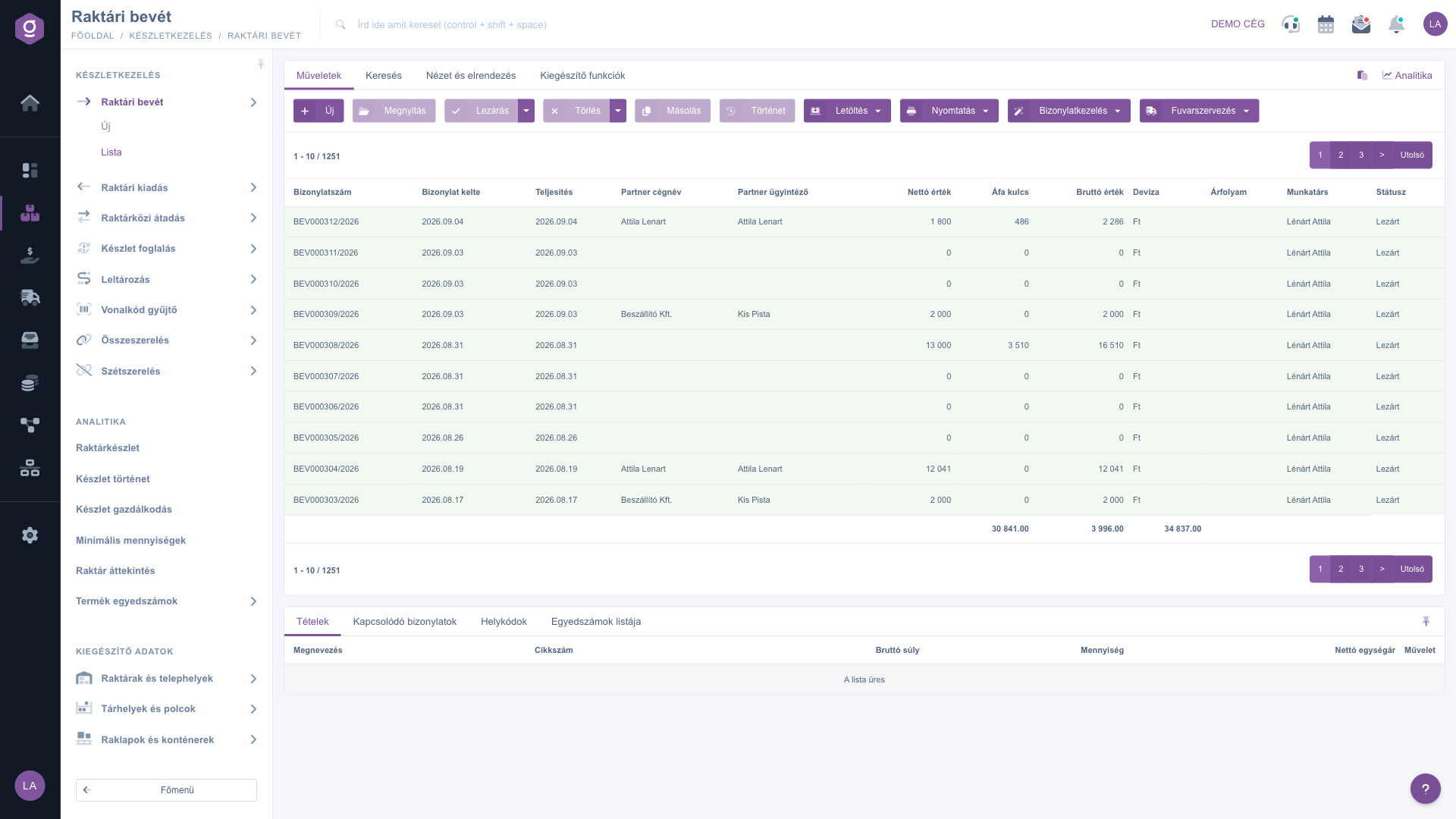
Warehouse receipt list – Actions tab
Searching among documents
Clicking the Search tab above the table reveals the filtering options. The most commonly used fields (e.g. partner company name, document number, currency, status) are shown right away — these may differ depending on the document type. Clicking "Expand" opens further, more detailed filters (e.g. searching by date, by employee, by item number, by project, by job number, by serial number). Use the Search button to apply the selected conditions.
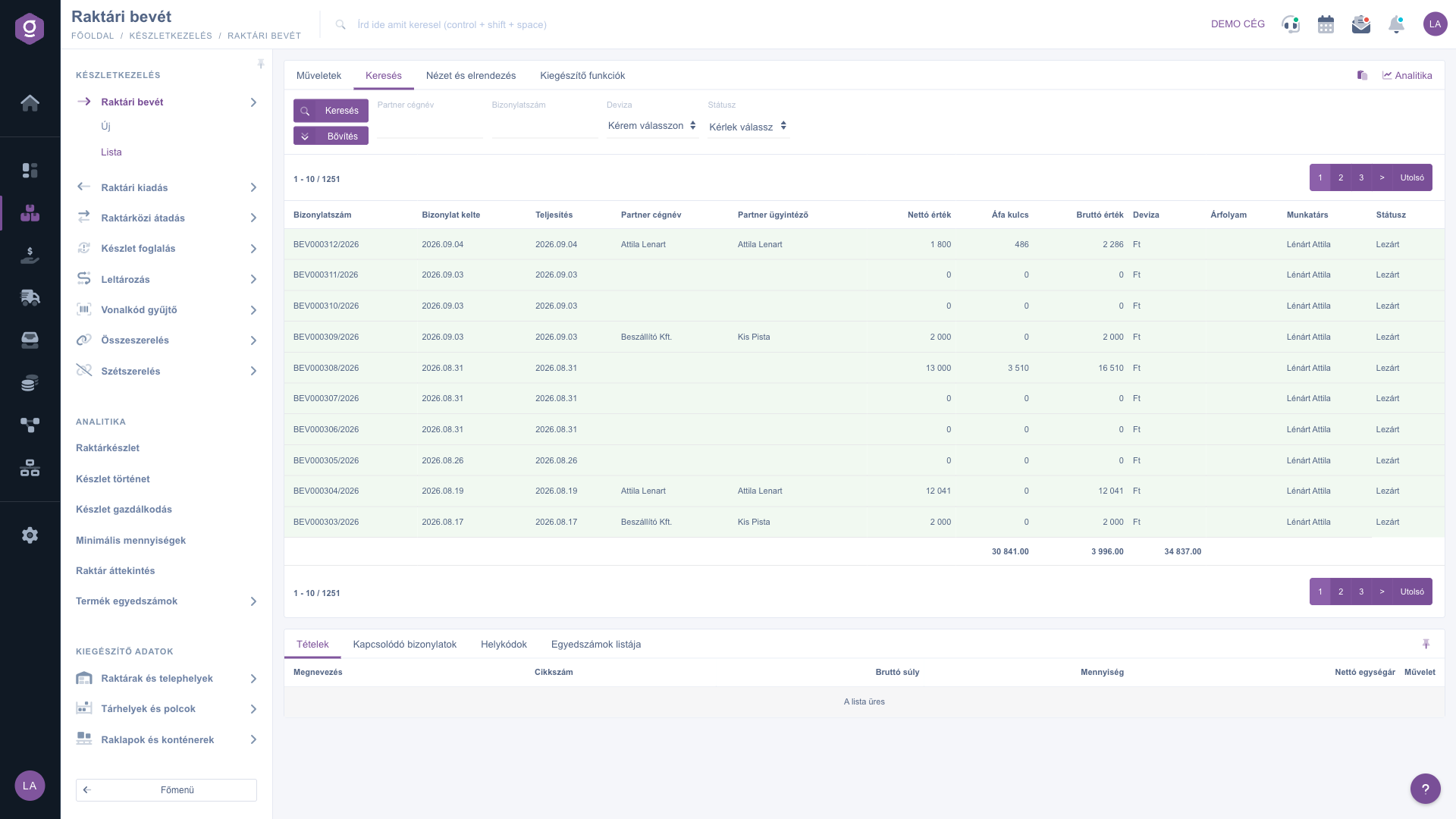
Warehouse receipt list – Search tab
Customizing the view
The View and layout tab lets you set how the list is displayed to you:
- Columns: choose which fields appear in the table, and in what order.
- Rows: set how many documents appear per page.
- Sorting: choose which column and direction the list is sorted by default.
- Preview window: turn the preview panel below the list on or off, or pin it (see below).
- Interface and behavior: other display-related settings for the list.
These settings are saved per user, so they are kept the next time you log in as well.
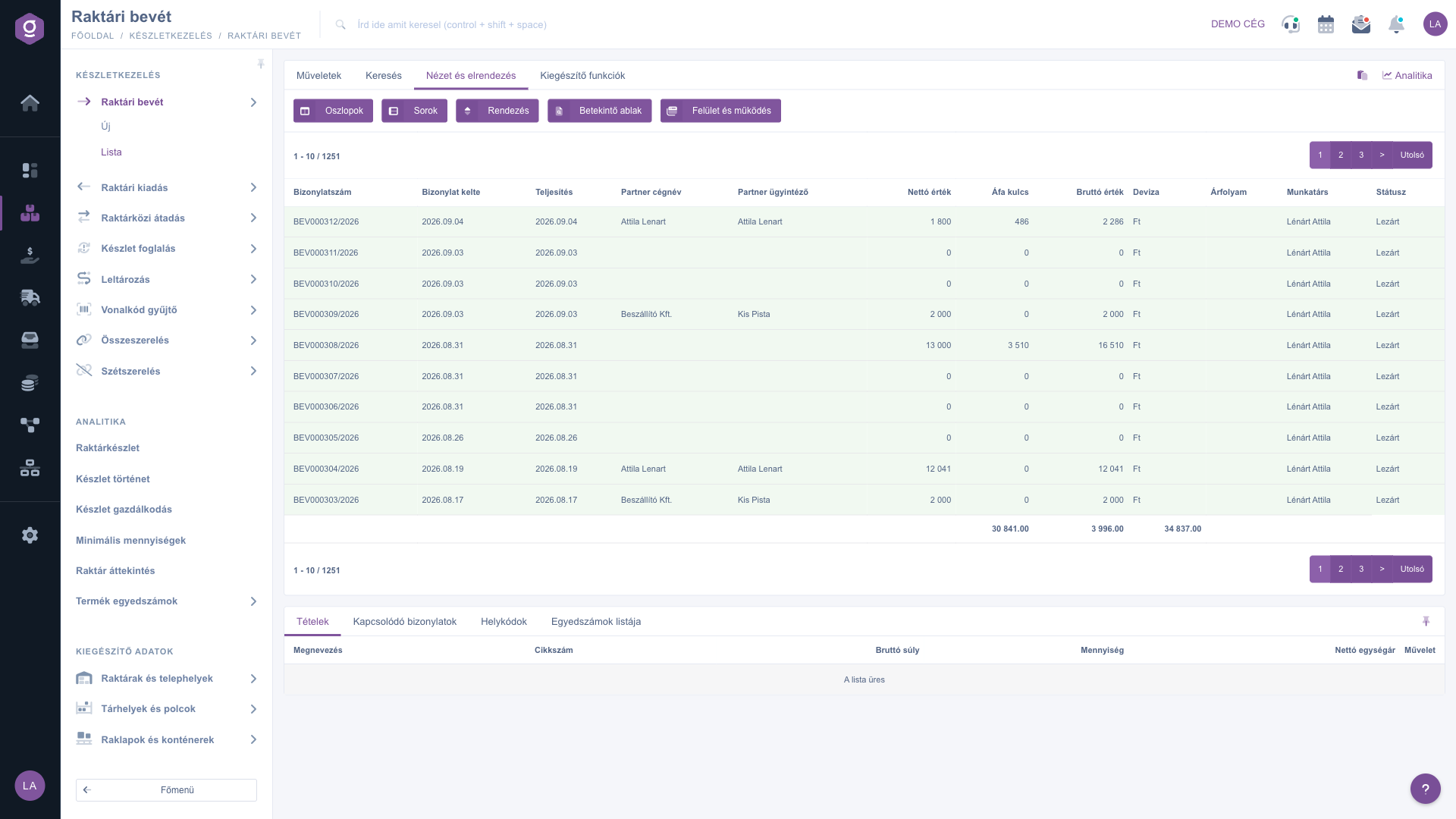
Warehouse receipt list – View and layout tab
The preview panel
The panel shown below the list lets you quickly check the details of a selected document without having to open it. The panel contains several tabs:
- Items: the products, quantities and prices listed on the document.
- Related documents: other documents linked to this one (e.g. the preceding document, a linked delivery note).
- Location codes: warehouse location, warehouse and pallet information for the items.
- List of serial numbers: a breakdown of the individual identifiers recorded for the items (serial number, expiry date).
The panel can be pinned (fixed to a set size) using the icon in its top-right corner, and its size can be adjusted by dragging the divider line at the top of the panel.
Additional functions
The Additional functions tab offers extra options for the selected document that support your daily work:
- Sent items: view the emails previously sent for the document.
- New email: write a new email related to the document, using either the External mail client or the built-in Internal mail client.
- New task: create a task related to the document.
- Partner card: opens the detailed profile of the partner listed on the document.
- Customer relations: view the CRM notes recorded for the partner.
Right-clicking a document row gives you the same quick actions (open, close, delete, clone, etc.) from a context menu as the Actions tab.
Tip
If you want to close several open (Draft) documents at once, select all of them using the checkboxes in front of the table rows, then click Close on the Actions tab — this closes every selected document in one step, without opening them individually.



