Document status reason

Here you record the predefined reasons with which you can justify changing the status of documents. You can also mark one reason as the default.

Function overview

Document status reasons are predefined reasons with which you justify changing the status of a document, so you do not have to retype them every time.

  • Name: the text of the reason, at least 2 characters long.
  • Default: you can set the reason to be selected by default.
  • Freely expandable: you can add as many reasons as you need.

Step by step

1. Opening the page

Click Main menu / Settings / System settings / Document status reason. Above the list you will find the New, Open and Delete buttons. The table columns are ID, Name and Default. The screenshots were taken in the Hungarian interface.
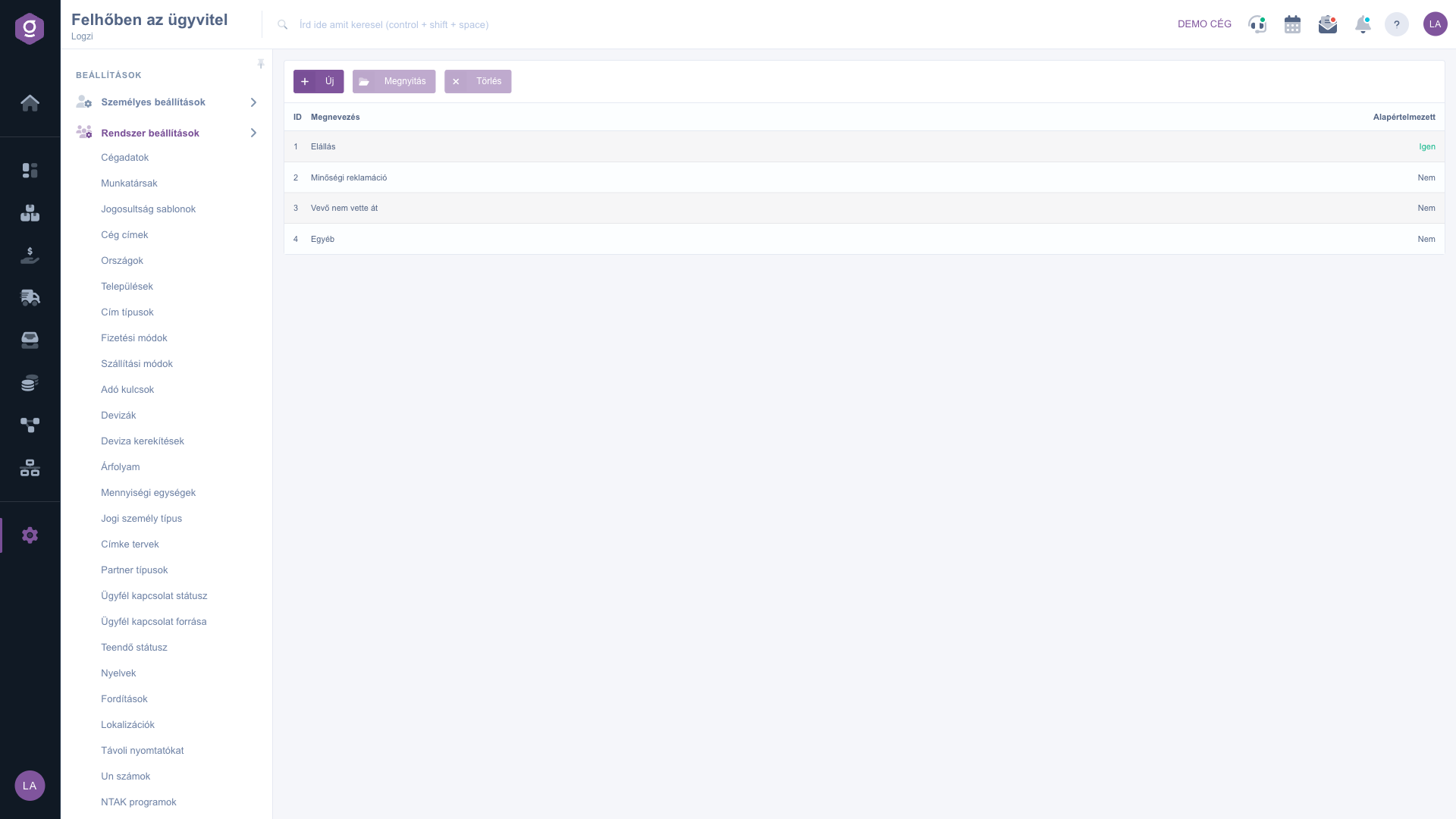
List of status reasons

2. Adding or editing a reason

Click New, or select a row and click Open. On the Actions tab enter the Name and set whether the reason is the Default (Yes/No). Use Save to save, or Close to close the window without saving.
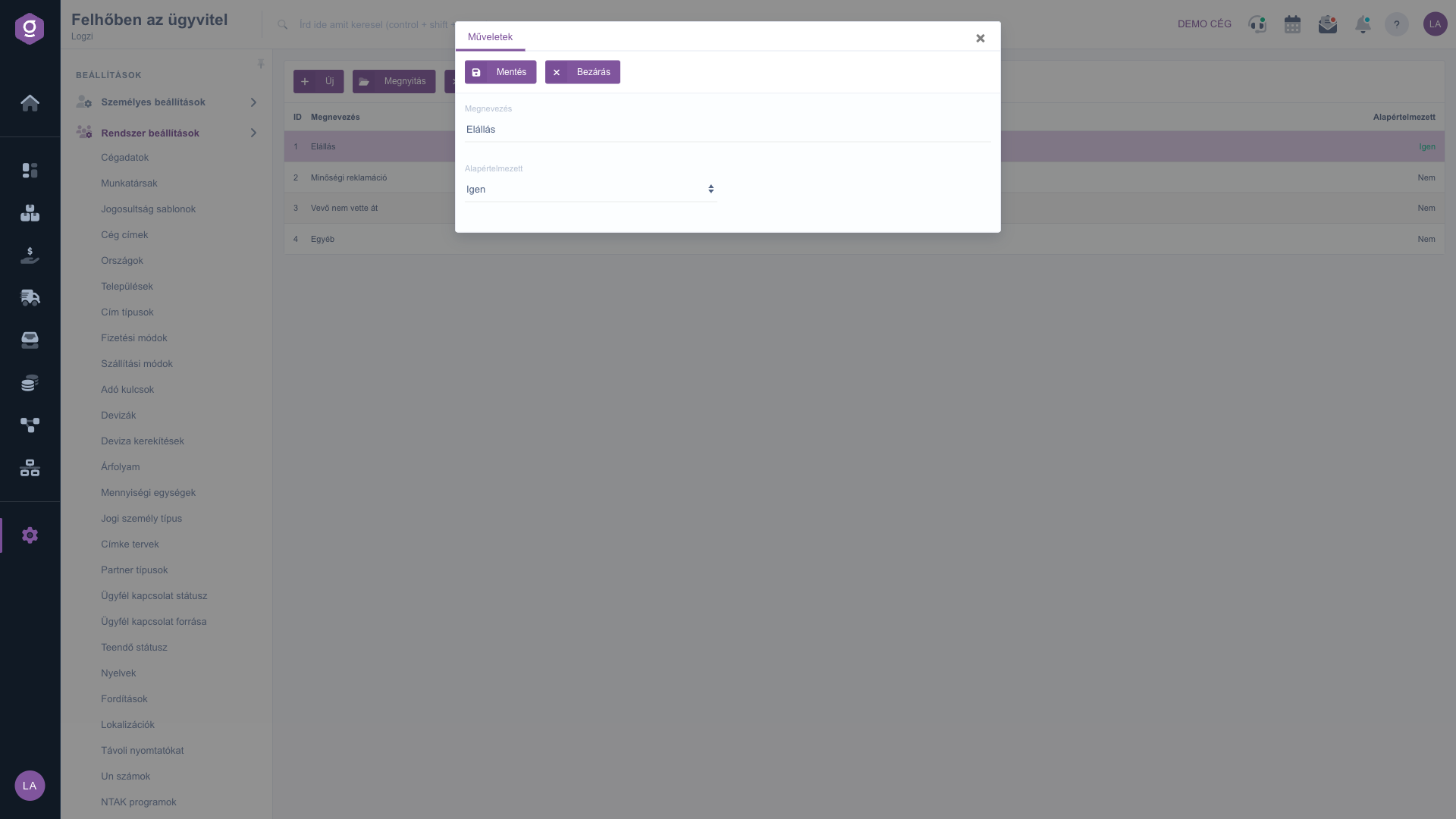
Reason editor window

3. Deleting a reason

Select the row you want to remove, click Delete and confirm the action.

Tip


For the default reason choose the most frequently used one, so in most cases you do not have to select it separately.


You can manage the document statuses here: Document status.

Field description

The following fields are available when editing a reason.

FieldRequiredDescription
NameThe text of the reason, at least 2 characters long.
DefaultYes or No: sets whether the reason is selected by default.

Frequently asked questions

With them you record predefined reasons that justify changing the status of a document.

If you choose Yes, the reason is selected by default, so you do not have to select it separately.

As many as you need. Each one appears in the list with its ID and name.

Yes, select the row, click Open, rewrite the name and save.

The menu item is located under Main menu / Settings / System settings. If you cannot see it, you probably do not have permission, so ask your administrator to enable it.

Need personalized help?

Don't want to spend hours searching for a solution? Choose the most efficient way: book a personalized, 45-minute online training session dedicated entirely to you. Whether it's a walkthrough of the basics or a detailed setup of a specific module, our expert colleague will guide you through the whole process, step by step.

Don't waste your time - ask for help!
Our goal is to get you using our system as quickly and efficiently as possible. Whether you're completely new to us or stuck on a specific setting, don't hesitate to ask for help!

Logzi warehouse management software

Get in touch with us

Interested in our software? Feel free to write to us!

Need help?

If you can't find the answer and need assistance

Create your account now,
pay later!

Try it free for 3 days, no risk, no obligation!