On the Localizations page you manage the regional settings that determine how the date and time are displayed in a given language and timezone environment.
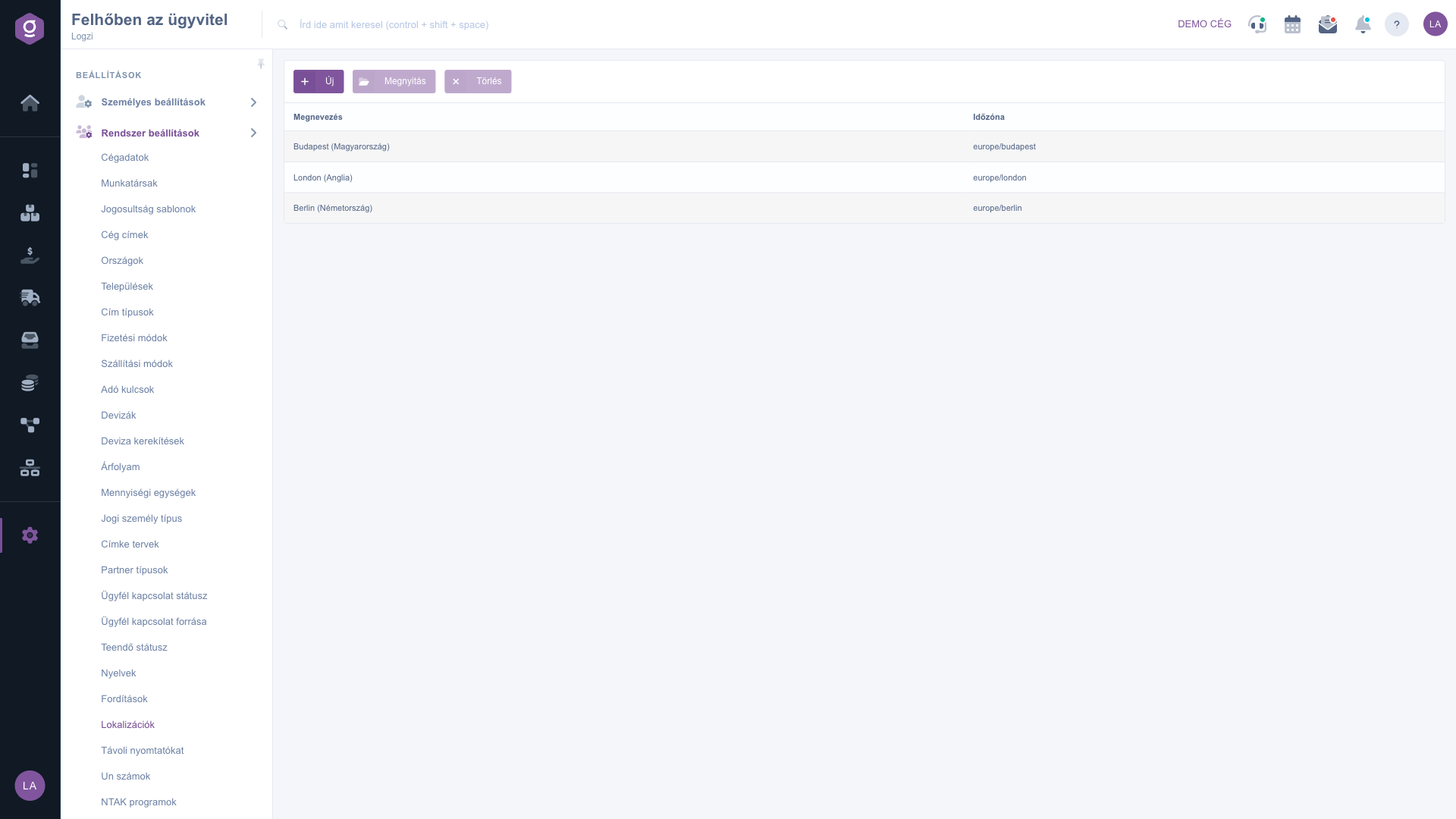
Click Main menu / Settings / System settings / Localizations. At the top you see the New, Open and Delete buttons, below them the list with the Name and Timezone columns. Click a row to select the localization. The screenshots were taken in the Hungarian interface.
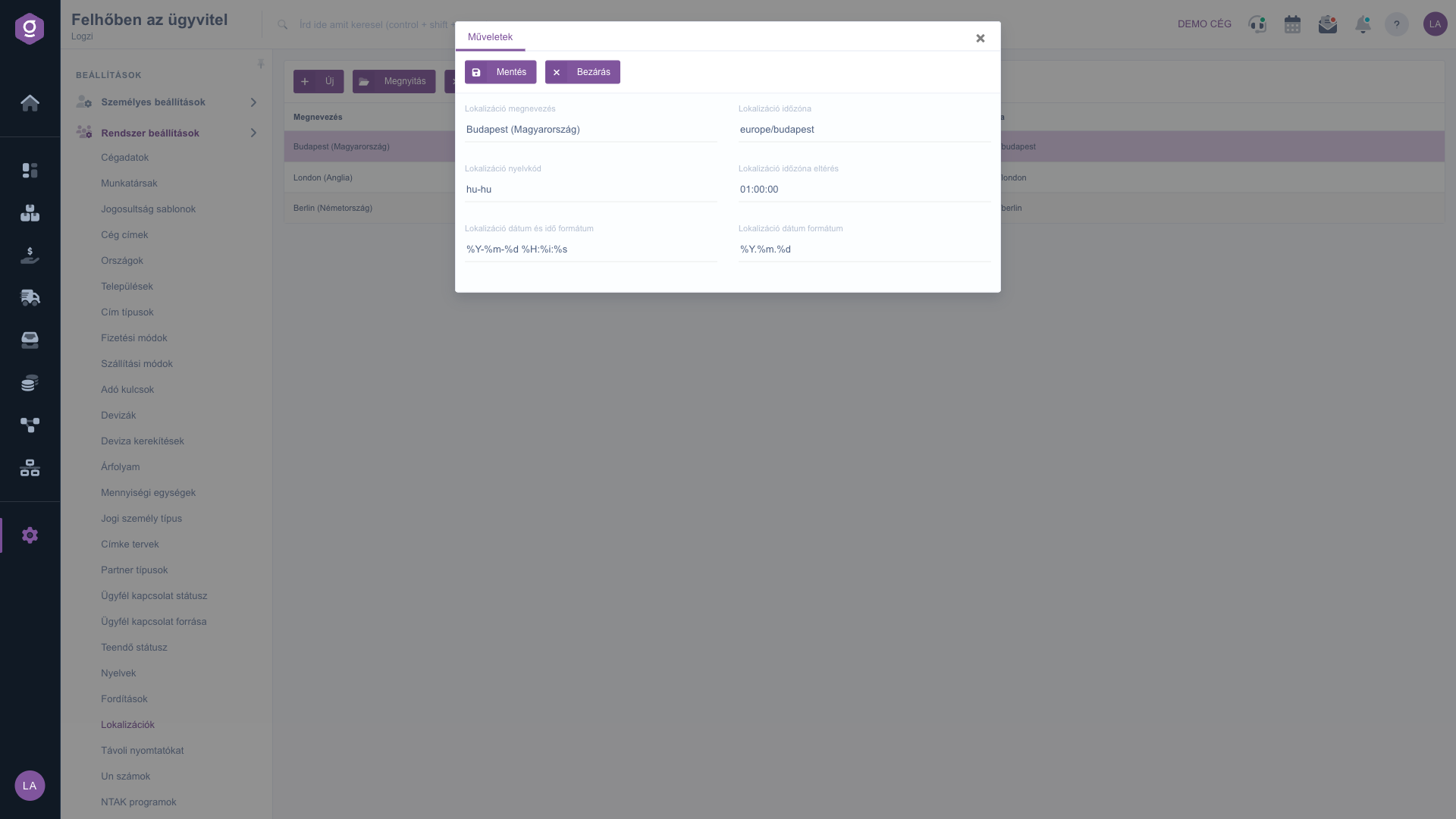
Click New, or select a row and click Open. On the Actions tab of the window that opens, below the Save and Close buttons, fill in the Locale name, Locale timezone, Locale language code, Locale timezone offset, Locale date and time format and Locale date format fields, then click Save.
Select the row and click Delete. Before deleting, check whether any setting still uses the localization.
When creating a new localization, start from the data of a similar localization that already works and change only the values you need.
The fields of the localization form.
| Field | Required | Description |
|---|---|---|
| Locale name | The name of the localization shown in the list. | |
| Locale timezone | The identifier of the timezone. | |
| Locale language code | The code of the language environment. | |
| Locale timezone offset | The offset of the timezone from the base time. | |
| Locale date and time format | The display format of the date and time. | |
| Locale date format | The display format of the date. |
They determine how the date and time are displayed in a given language and timezone environment.
The code of the language environment that the system uses for the localization. For a new localization, copy the value from an existing working one.
Yes, select the row, click Open, change the values and save.
You can delete the selected localization with the Delete button. Before deleting, check whether any setting still uses it.
The menu item is located under Main menu / Settings / System settings. If you do not see it, your user probably does not have the required permission; ask your administrator to check the settings.
Don't want to spend hours searching for a solution? Choose the most efficient way: book a personalized, 45-minute online training session dedicated entirely to you. Whether it's a walkthrough of the basics or a detailed setup of a specific module, our expert colleague will guide you through the whole process, step by step.
Don't waste your time - ask for help!
Our goal is to get you using our system as quickly and efficiently as possible. Whether you're completely new to us or stuck on a specific setting, don't hesitate to ask for help!
Create your account now,
pay later!


