On the Credit balance page you see the state of your prepaid credits. Every credit type appears in its own panel with the following data:
The balance decreases automatically when the system uses the credit, for example when sending an SMS. The text at the top of the page leads directly to the Additional services page, where you can buy new credit.
Open the Main menu / Subscription / License / Credit balance menu item. Every credit type is shown in its own panel: with its name, the available balance and the date of the last modification. The screenshots were taken in the Hungarian interface.
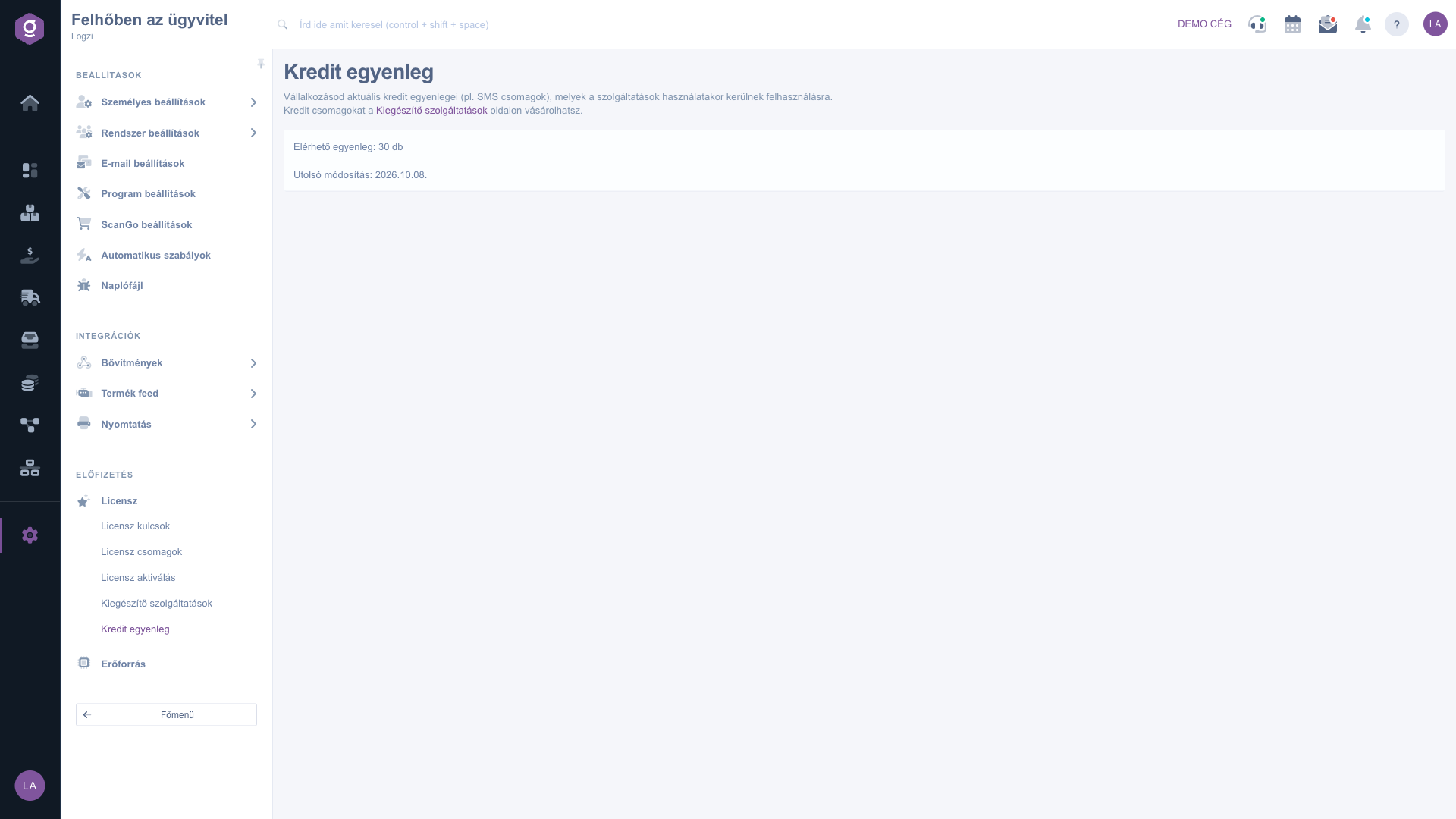
The Available balance row shows the amount that can currently be used, in units. If it is close to zero, it is worth buying a new package.
Click the Additional services link in the text at the top of the page, choose the suitable one among the SMS and other credit packages, and click the Purchase button.
If you have not bought any credit yet, the page shows the message Jelenleg nincs aktív kredit egyenleged. (You currently have no active credit balance.)
Before starting a larger SMS mailing, check the balance to make sure you have enough credit.

There is no field to fill in on this page; every credit panel shows the following data.
| Field | Required | Description |
|---|---|---|
| Credit type | The name of the credit, for example SMS. | |
| Available balance | The amount that can still be used, in units. | |
| Last modification | The time of the latest change of the balance (purchase or use). |
The message You currently have no active credit balance appears if you have not bought any credit yet, or the whole balance has been used up. You can buy new credit on the Additional services page.
The balance decreases automatically when the system uses the credit, for example when sending an SMS.
Buy a new credit package on the Additional services page among the SMS and other credit packages. After the purchase your balance increases.
It shows the time when the balance of that credit last changed, either because of a purchase or because of use.
The menu item is in the Subscription group of the Settings menu. If you do not see it, you probably do not have permission; ask the administrator to enable access.
Don't want to spend hours searching for a solution? Choose the most efficient way: book a personalized, 45-minute online training session dedicated entirely to you. Whether it's a walkthrough of the basics or a detailed setup of a specific module, our expert colleague will guide you through the whole process, step by step.
Don't waste your time - ask for help!
Our goal is to get you using our system as quickly and efficiently as possible. Whether you're completely new to us or stuck on a specific setting, don't hesitate to ask for help!
Create your account now,
pay later!

