On the custom variables page you set values that influence how the system works. Currently you can enter the PHP memory limit on the page.
Click Main menu / Settings / System settings / Custom variables. On the page you see the PHP - memory_limit field and the Save button. The screenshots were taken in the Hungarian interface.
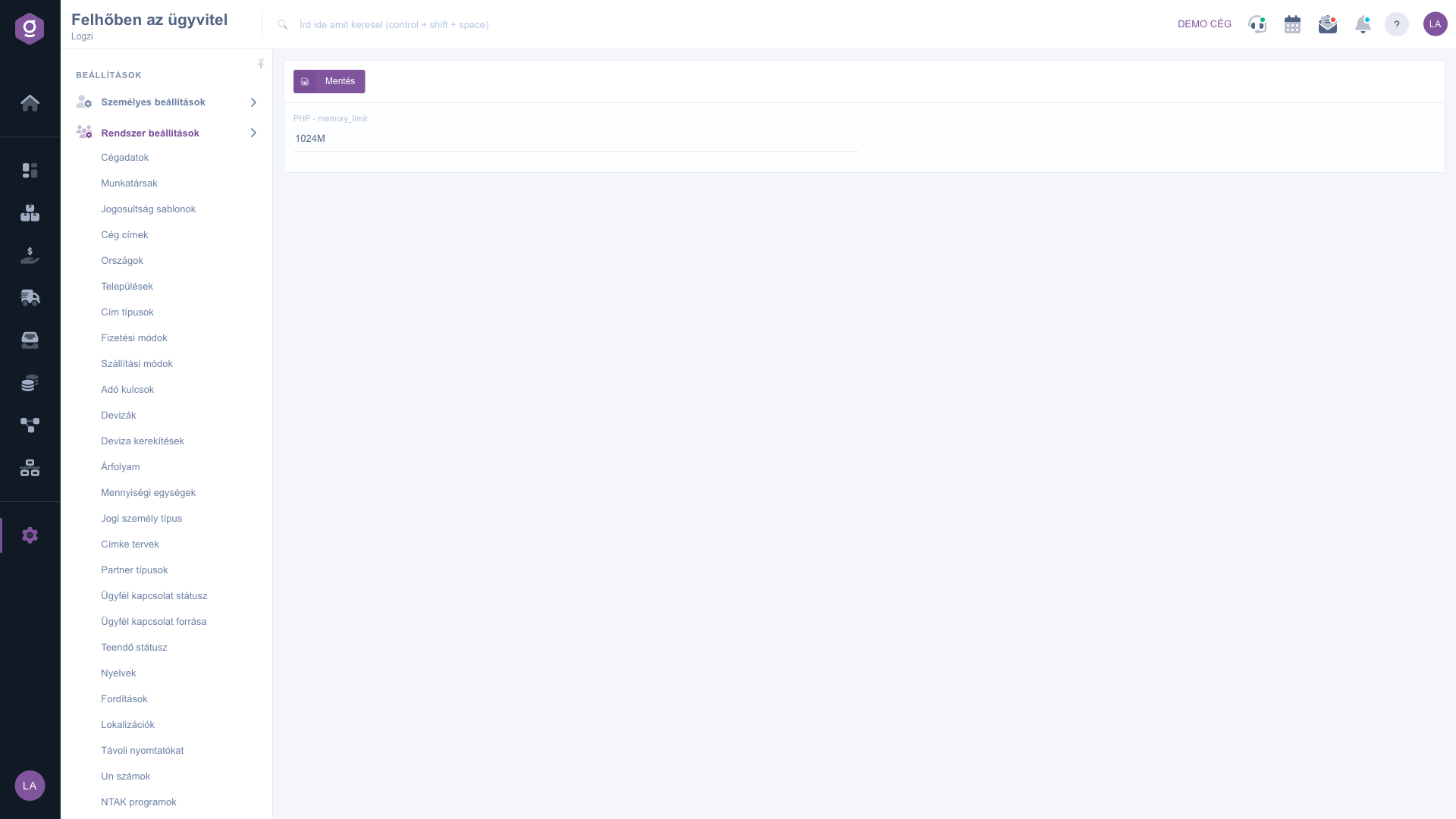
Enter the desired value in the PHP - memory_limit field, then click Save.
Enter the value in the usual PHP format, for example 256M, and increase it only if an operation processing a larger amount of data stops because of a memory error.

The following field is available on the page.
| Field | Required | Description |
|---|---|---|
| PHP - memory_limit | The upper limit of memory PHP may use, entered in the usual PHP format. |
The upper limit of memory PHP may use during one run. With larger amounts of data a value that is too low can cause a memory error.
In the usual PHP format, for example 256M. If you are unsure, ask your administrator.
Only if an operation processing a larger amount of data stops because of a memory error.

No, the page has only the Save button.
The menu item is located under Main menu / Settings / System settings. If you cannot see it, you probably do not have permission, so ask your administrator to enable it.
Don't want to spend hours searching for a solution? Choose the most efficient way: book a personalized, 45-minute online training session dedicated entirely to you. Whether it's a walkthrough of the basics or a detailed setup of a specific module, our expert colleague will guide you through the whole process, step by step.
Don't waste your time - ask for help!
Our goal is to get you using our system as quickly and efficiently as possible. Whether you're completely new to us or stuck on a specific setting, don't hesitate to ask for help!
Create your account now,
pay later!
