Payment demand analytics shows how much principal you demanded, how much late interest and collection cost you charged, how much was recovered after the demands and for which overdue invoices you have not sent a demand yet. The page is view-only.
The data is split into four tabs: Overview, Partners, Effectiveness and Process.
Click Main menu / Cash register / Payment demand analytics (you find it in the Analytics group). The Overview tab opens with the number of the Payment demands, the value of the Demanded invoices, the Demanded principal, the Late interest and the Collection cost, the Central bank base rate and monthly charts.
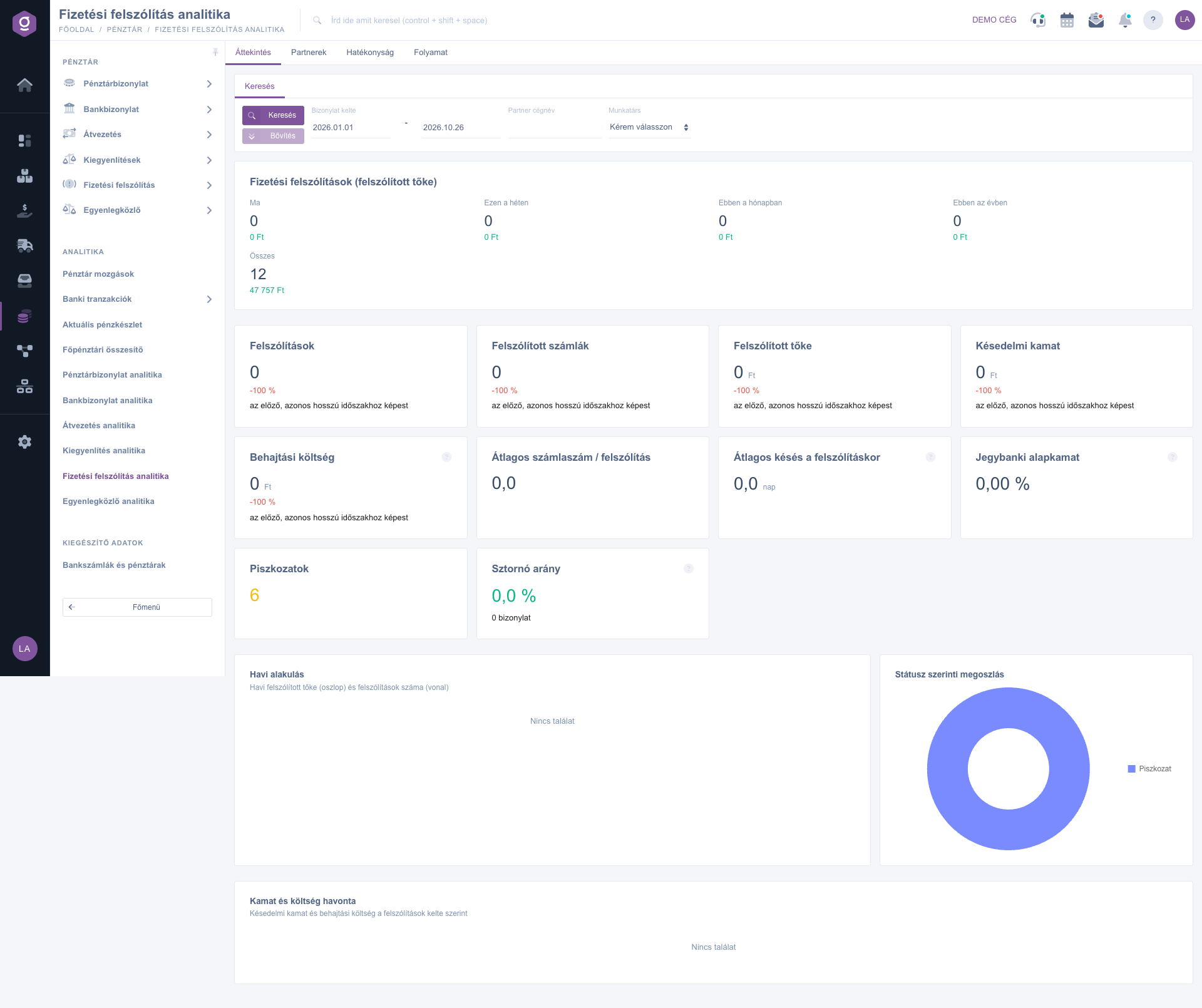
On the Search tab enter the Document date period and, if needed, the Partner company name and the Employee filter, then click Search. The filter stays active on every tab.
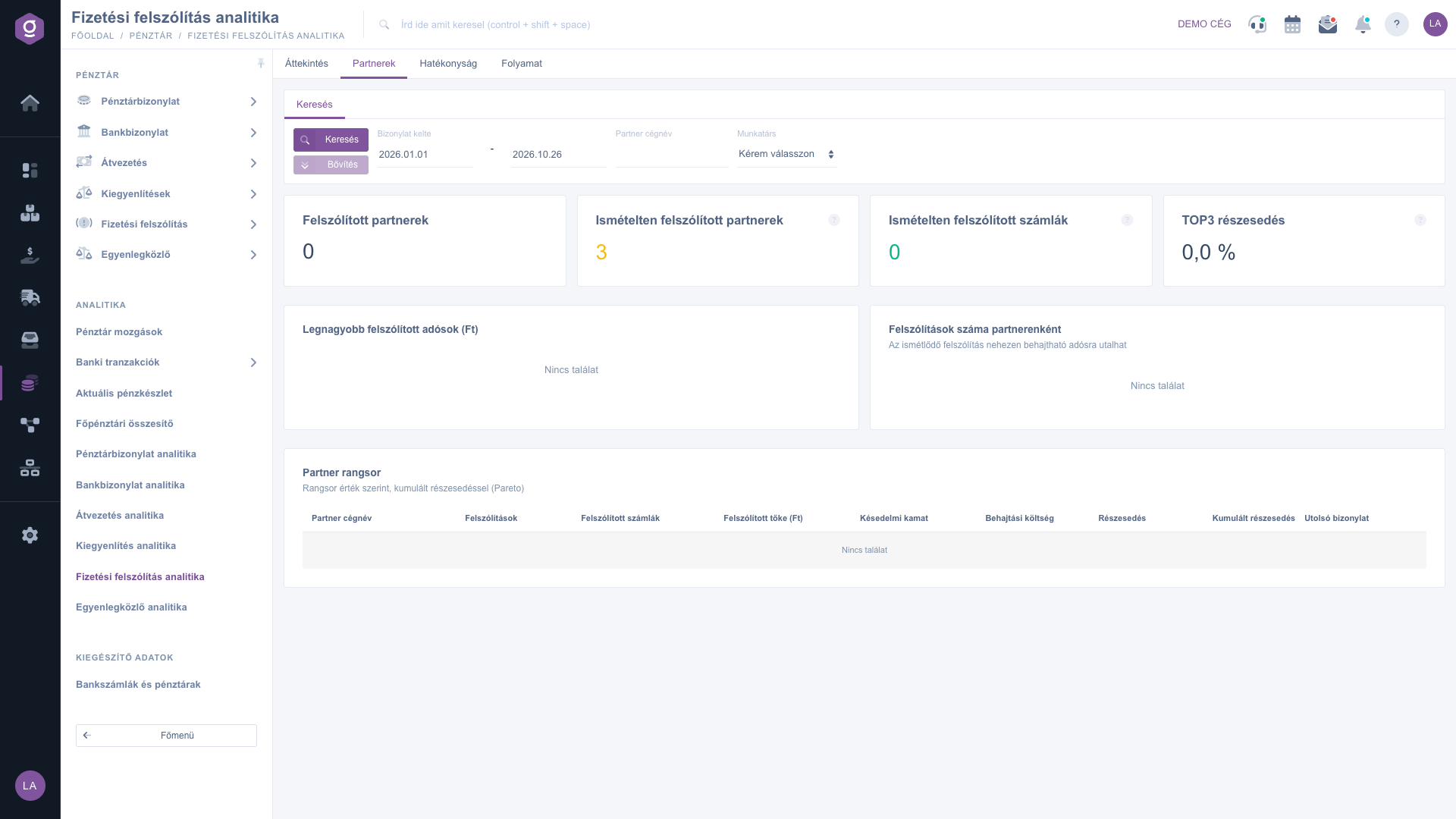
The Partners tab shows the Partners demanded repeatedly and the Largest demanded debtors. A repeated demand can indicate a debtor that is hard to collect from.
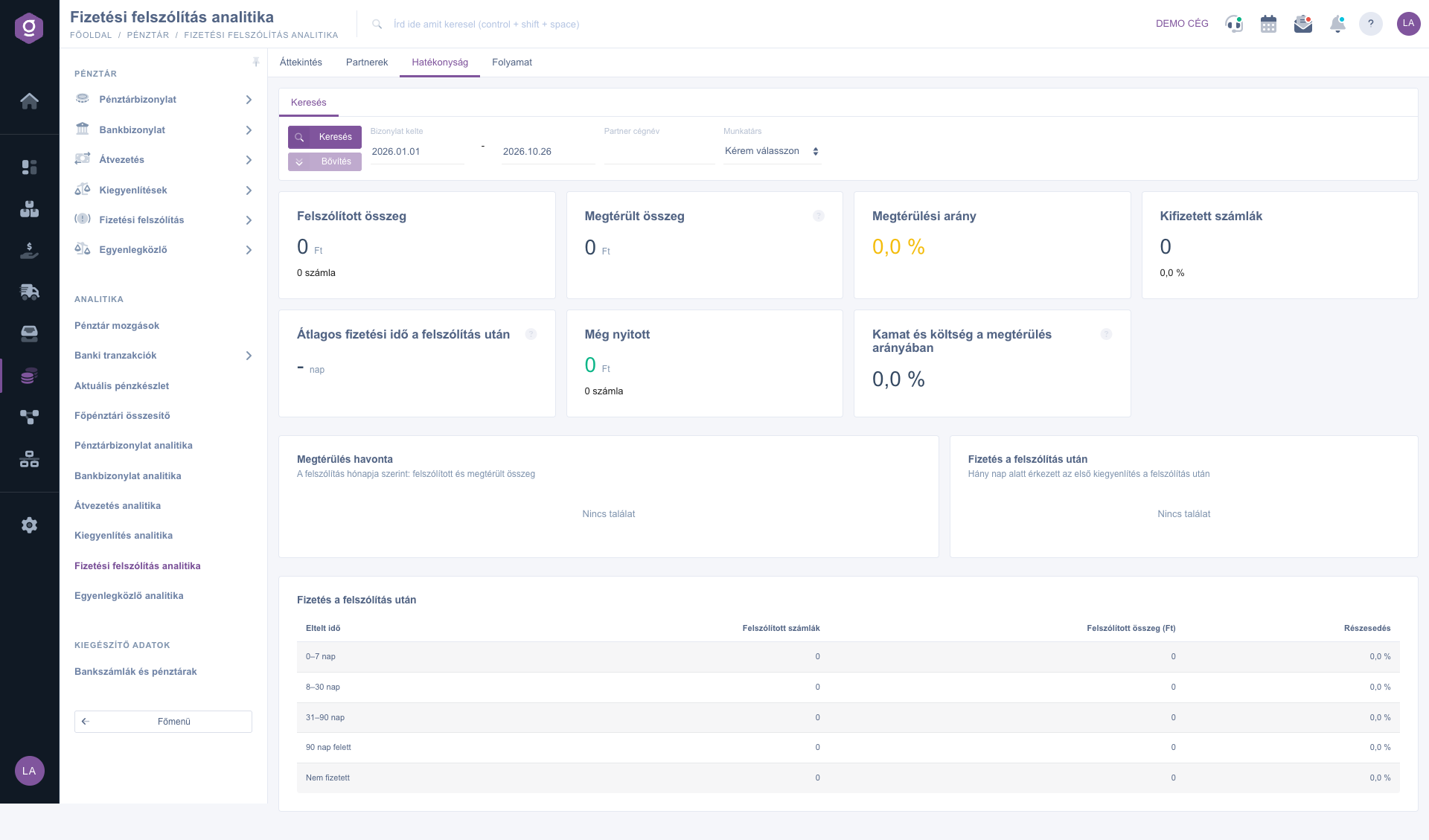
On the Effectiveness tab the Recovered amount, the Recovery ratio, the Recovery per month chart and the Payment after the demand distribution show how many days the first compensation took after the demand and how much is still open.
On the Process tab the Missed payment demands section lists the Overdue invoices without a demand, while the Suspicious demands collect the demands recorded with an outlier collection cost or a negative late interest.
Check the Overdue invoices without a demand list regularly: the invoices you have not sent a demand for are the receivables that are forgotten most easily.

| Tab | Description |
|---|---|
| Overview | Number of demands and demanded invoices, demanded principal, late interest, collection cost, average delay at the demand, central bank base rate, monthly trend. |
| Partners | Demanded partners, partners and invoices demanded repeatedly, largest demanded debtors. |
| Effectiveness | Demanded and recovered amount, recovery ratio, average payment time after the demand, recovery per month, interest and cost compared to the recovery. |
| Process | Missed demands, overdue invoices without a demand, demands with a suspicious value. |
On the Search tab you can use the Document date, Partner company name and Employee filters; the filter applies to every tab. There is no download on this page.
It is the part of the demanded amount that the partner settled after the demand. The system calculates it from the compensations linked to the demanded invoices.
There is no payment demand in the selected period or the filters are too narrow. Widen the Document date period and clear the other filters.
The Main menu / Cash register / Payment demand analytics item appears only if both the analytics module and the payment demand module are assigned to your user. If you cannot find it, ask your administrator to enable it.
Don't want to spend hours searching for a solution? Choose the most efficient way: book a personalized, 45-minute online training session dedicated entirely to you. Whether it's a walkthrough of the basics or a detailed setup of a specific module, our expert colleague will guide you through the whole process, step by step.
Don't waste your time - ask for help!
Our goal is to get you using our system as quickly and efficiently as possible. Whether you're completely new to us or stuck on a specific setting, don't hesitate to ask for help!
Create your account now,
pay later!

