Balance sheet analytics analyses your balance sheets: how large the open balance is, how much has been paid, which partners have the largest balance and which debtors you have not sent a balance sheet to despite their receivable. The page is view-only.
The data is split into three tabs: Overview, Partners and Coverage.
Click Main menu / Cash register / Balance sheet analytics (you find it in the Analytics group). The Overview tab opens with the Total value of the items, the Paid and the Balance amounts, the Payment ratio and the number of the balance sheets With open balance, as well as the monthly trend and the Distribution by balance chart.
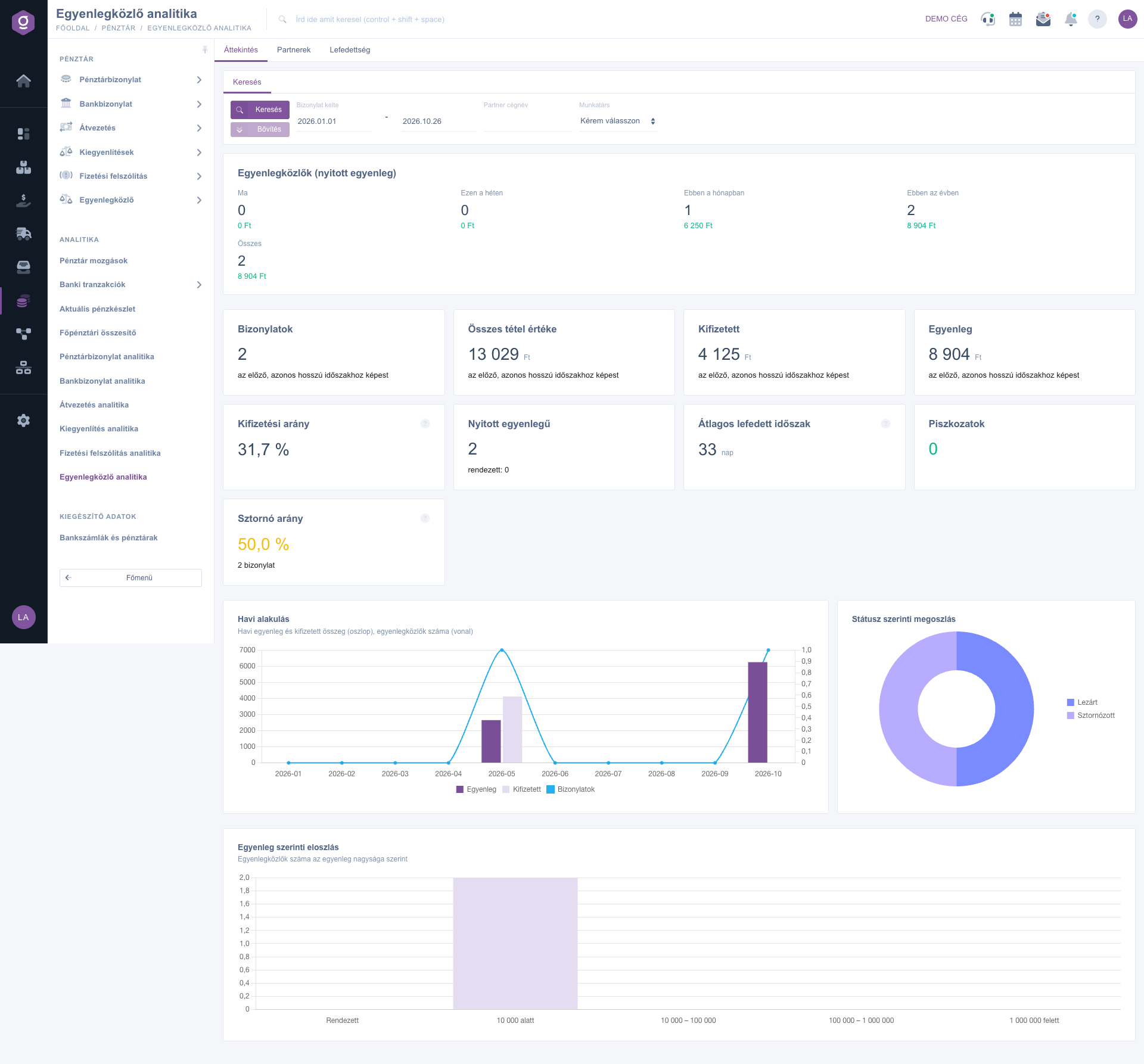
On the Search tab enter the Document date period and, if needed, the Partner company name and the Employee filter, then click Search. The filter stays active on every tab.
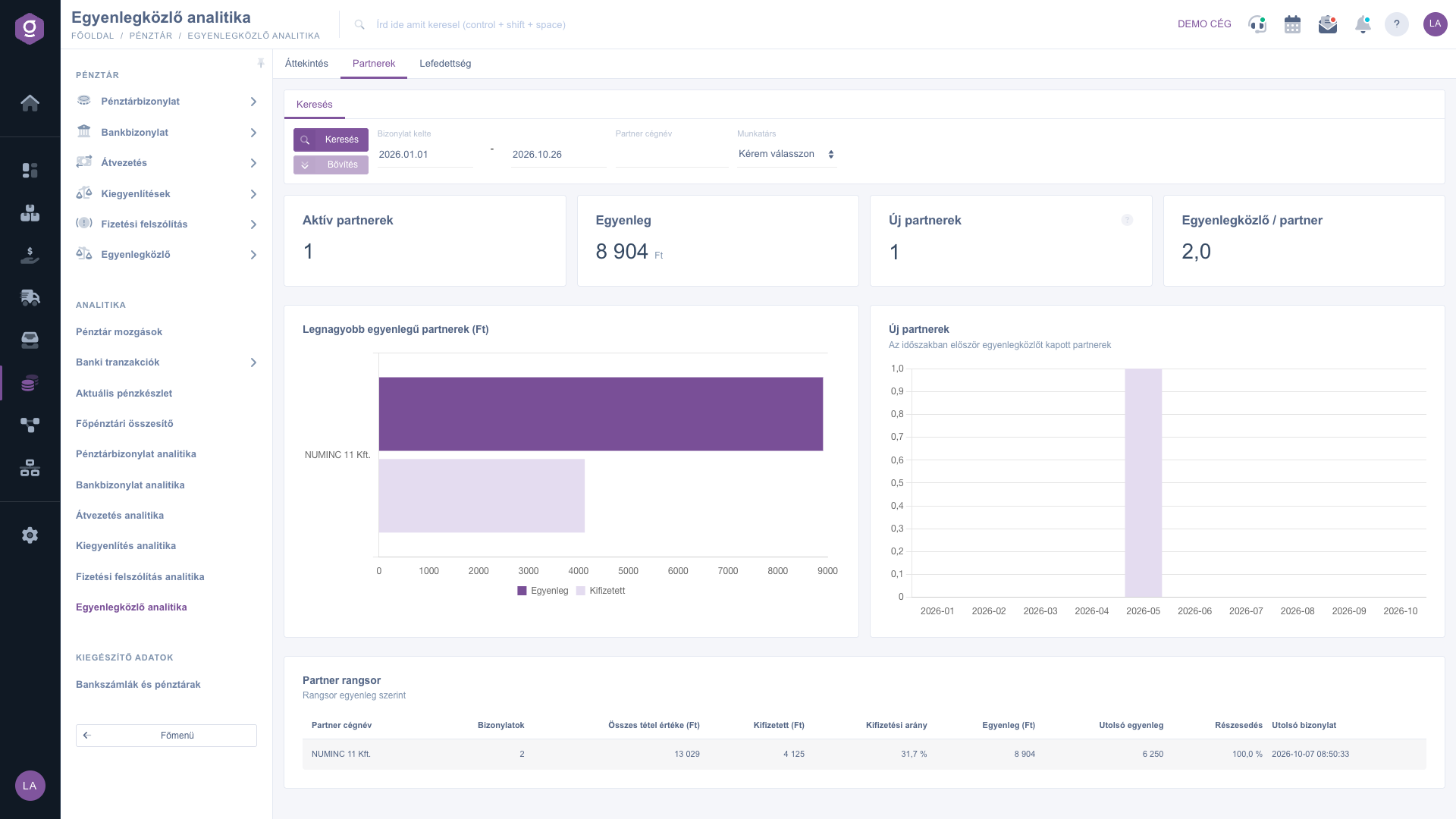
The Partners tab shows the ranking of the Partners with the largest balance, with the number of the balance sheets and the last balance for each partner.
On the Coverage tab the Debtor coverage shows how many of your debtors with an open outgoing invoice received a closed balance sheet in the last 90 days. The Debtors without balance sheet are the ones you have not sent a balance sheet to; the Largest debtors table shows the open amount, the overdue part of it and the age of the Last balance sheet, and Never received marks a partner that has not received a balance sheet yet.
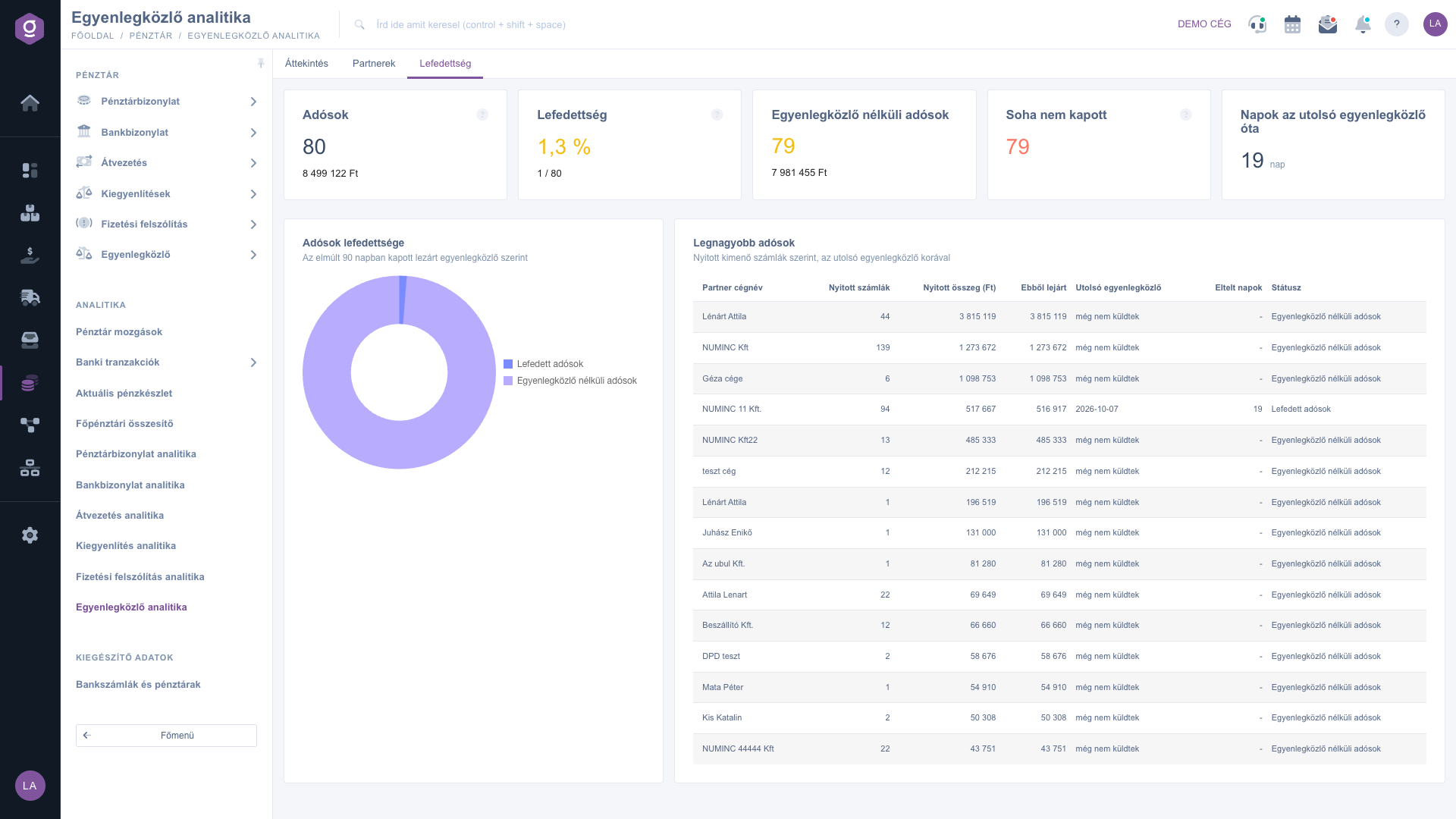
Send balance sheets to your largest debtors regularly: the Largest debtors table of the Coverage tab shows who has waited the longest since the last balance sheet.

| Tab | Description |
|---|---|
| Overview | Total value of the items, paid amount, balance, payment ratio, number of balance sheets with open balance, average covered period, monthly trend and distribution by size of the balance. |
| Partners | Ranking of the partners with the largest balance, number of balance sheets per partner, last balance. |
| Coverage | Coverage of the debtors, debtors without balance sheet, open and overdue amount of the largest debtors with the age of the last balance sheet. |
On the Search tab you can use the Document date, Partner company name and Employee filters; the filter applies to every tab. There is no download on this page.
A debtor who has an open outgoing invoice and received a closed balance sheet in the last 90 days.
There is no balance sheet in the selected period or the filters are too narrow. Widen the Document date period and clear the other filters.
The Main menu / Cash register / Balance sheet analytics item appears only if both the analytics module and the balance sheet module are assigned to your user. If you cannot find it, ask your administrator to enable it.
Don't want to spend hours searching for a solution? Choose the most efficient way: book a personalized, 45-minute online training session dedicated entirely to you. Whether it's a walkthrough of the basics or a detailed setup of a specific module, our expert colleague will guide you through the whole process, step by step.
Don't waste your time - ask for help!
Our goal is to get you using our system as quickly and efficiently as possible. Whether you're completely new to us or stuck on a specific setting, don't hesitate to ask for help!
Create your account now,
pay later!

